
Installation guide
Fitting SavvyLights
A 12V feed in, up to eight LED circuits out, and the panel does the rest - dimming, naming and scenes. The wiring is the easy part; the useful part is naming each circuit so the screen says Kitchen rather than 3.
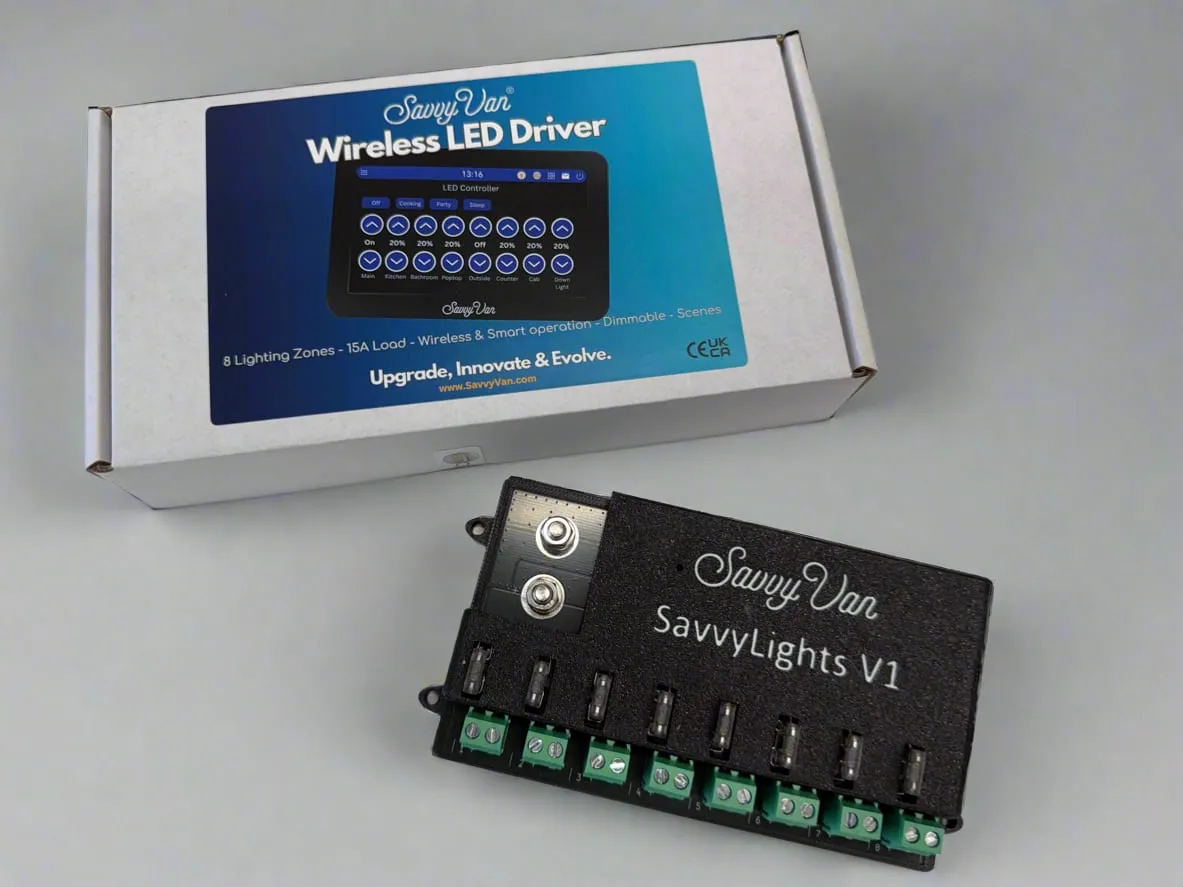
At a glance
- Channels
- 8, each with a 10-step dimmer
- Current
- 5 × 2A and 3 × 5A, 15A total across the board
- Capacity
- Around 100 m of traditional LED
- Pairs as
- LED_V1
- Working voltage
- 7–30V, drawing 0.08A at 12V with nothing lit
- Not compatible with
- SavvyVan Lite v2.1 panels
Mounting it
The driver is a serviceable part. It must be mounted where it can be reached, disconnected and removed without dismantling fixed furniture or bonded panels - for example in an electrical locker, under a seat, or behind a removable access panel. All eight circuits run back to it, so settle where it goes before you run any LED cable.
Wiring it in
- Supply. A 12V feed into the screw terminals on the left. Get the polarity right, fuse it properly, and use cable rated for the total load you are putting through the board.
- Circuits. Connect your LED strips onto the terminals numbered 1 to 8, using both the positive and negative wires. Write down what you connected to each one - you will want that in five minutes when you name them.
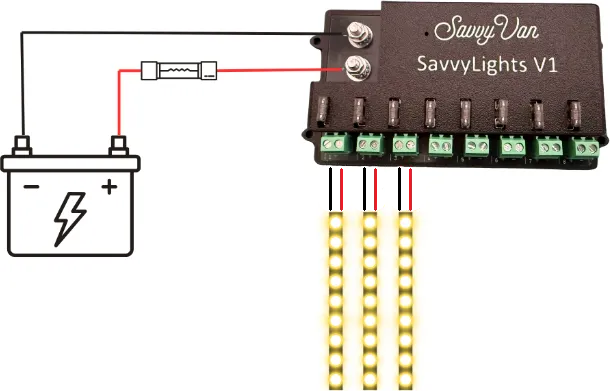
Make sure the panel is on the latest software before pairing - instructions are in the SavvyVan3 user guide.
What the light is telling you
One LED on the module tells you where you are - check it before you go near the panel.
| The light | What it means |
|---|---|
| Solid green | Powered up and booting. Give it a few seconds |
| Flashing blue | Booted, and waiting to pair |
| Solid blue | Paired to your panel. Nothing more to do |
| Red | Something is wrong - see troubleshooting |
| Nothing at all | No power reaching it - see troubleshooting |
Pairing it
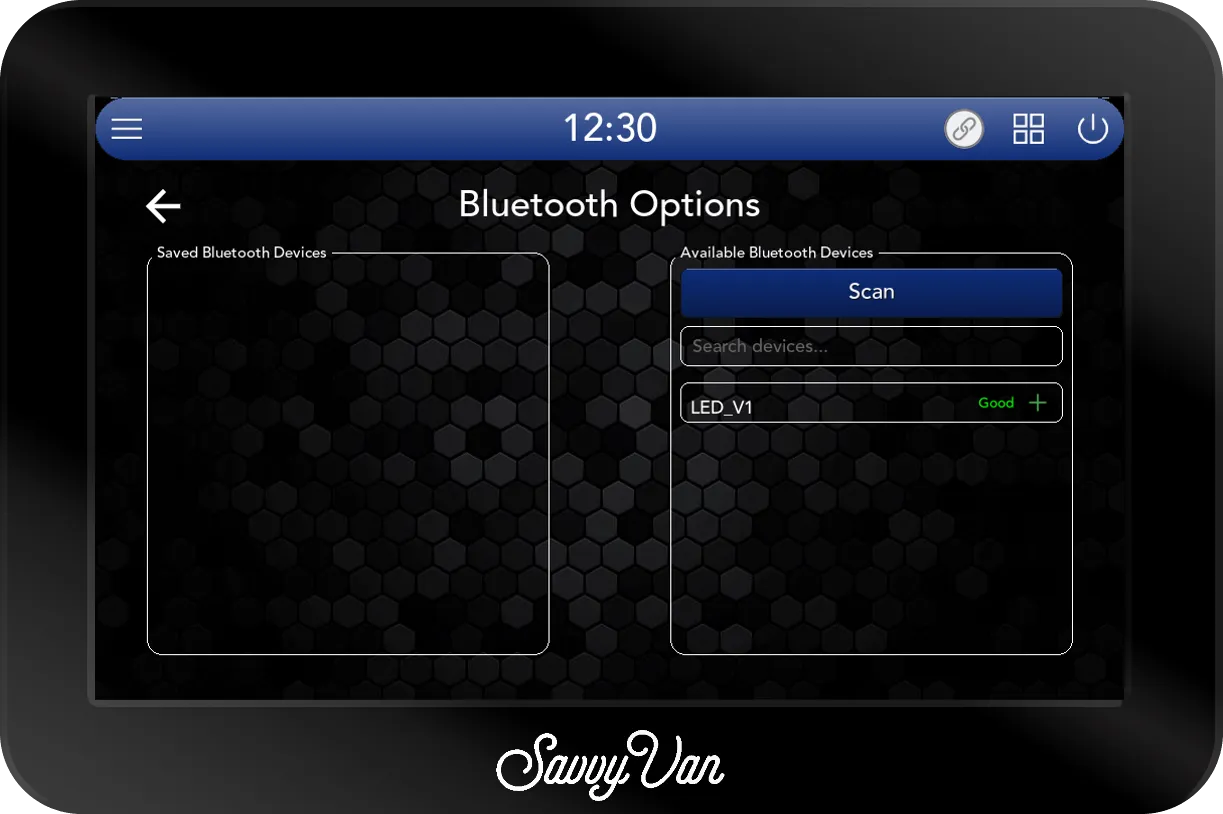
- On the panel, open Installer Settings, enter the passcode, and go to the device pairing screen - the one with Scan on the right.
- Look in the right-hand list. Modules nearby appear there on their own within a few seconds. If yours has not, tap Scan.
- Tap the green + next to
LED_V1.
Naming your circuits
This is the step that makes the difference between a panel you enjoy and a panel you tolerate.
- Take out the channels you did not use. Tap a channel’s light and it turns into a red cross: that channel is out of use, and stays off the lighting page rather than sitting there empty. Tap the cross to bring it back.
- Tap a name to change it. Kitchen, Bed, Awning, Poptop - whatever you call them out loud.
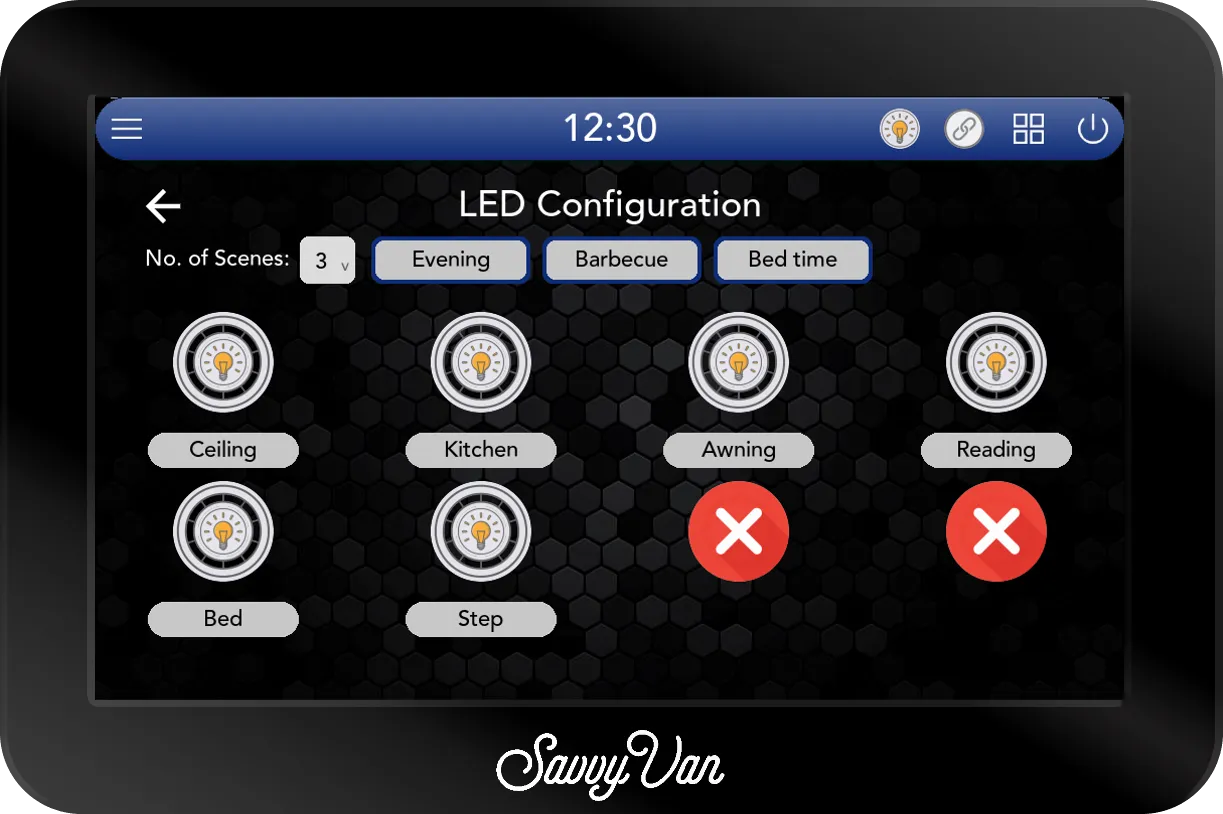
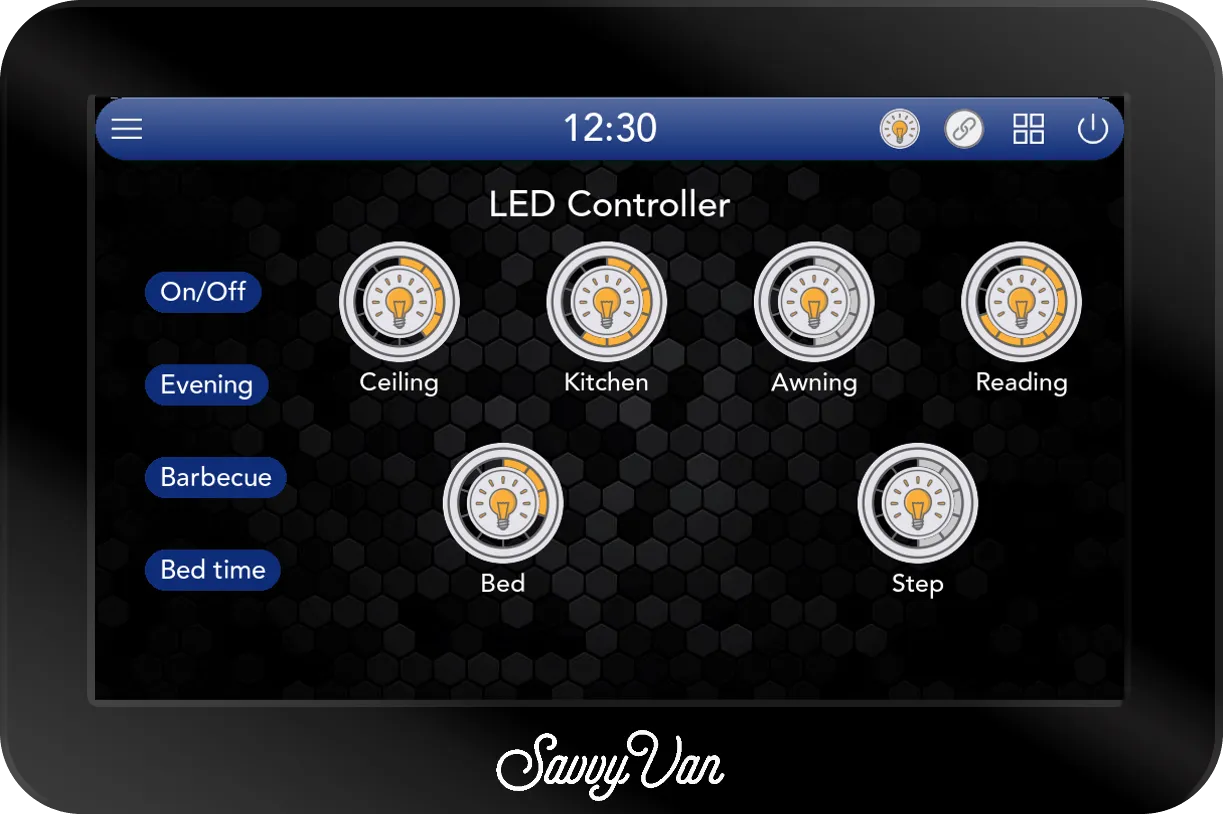
Scenes are set up here too: choose how many you want with No. of Scenes (up to four), and tap each one to name it. Their light levels get set from the lighting page itself, next.
Setting scenes
- Set each light by hand. Press and hold a light and it brightens a step at a time until you let go - starting from off if it was off, so to bring one down, tap it off and hold it back up to where you want it. A quick tap switches a light off, or back on at the level it was.
- When the room looks right, press and hold the scene for three seconds, until it beeps.
That is the scene saved. From then on, one tap brings the whole room back.
Troubleshooting
No light is a supply problem, not a pairing one. Check the fuse and the feed before you rescan - it is the commonest reason a module never appears.
A red light means the module cannot do its job. Power it down, check the wiring against this guide, and power it back up. Still red? Tell us rather than working around it, and send the log files from the passcode screen.
Specification
| Channels | 8, each with a 10-step dimmer |
| Current | 5 × 2A and 3 × 5A, 15A total |
| Capacity | Around 100 m of traditional LED |
| Working voltage | 7–30V |
| Draw | 0.08A at 12V with nothing lit |
Warranty
SavvyLights carries our 12-month warranty. The free second year you get for registering is for the SavvyVan3 panel itself, so there is nothing to register for this one.
Questions people ask
- How much LED can I run?
- Around 100 metres of traditional LED in total. Five channels handle 2A each and three handle 5A, with 15A across the whole board.
- Do the lights have to be dimmable?
- The driver does the dimming, so ordinary 12V LED strip works. It is the supply being varied rather than anything in the strip.
- Can a scene include lights that are off?
- Yes - a scene stores every channel’s level, including the ones set to zero. That is how a bedtime scene turns the main lights off.