
Heating
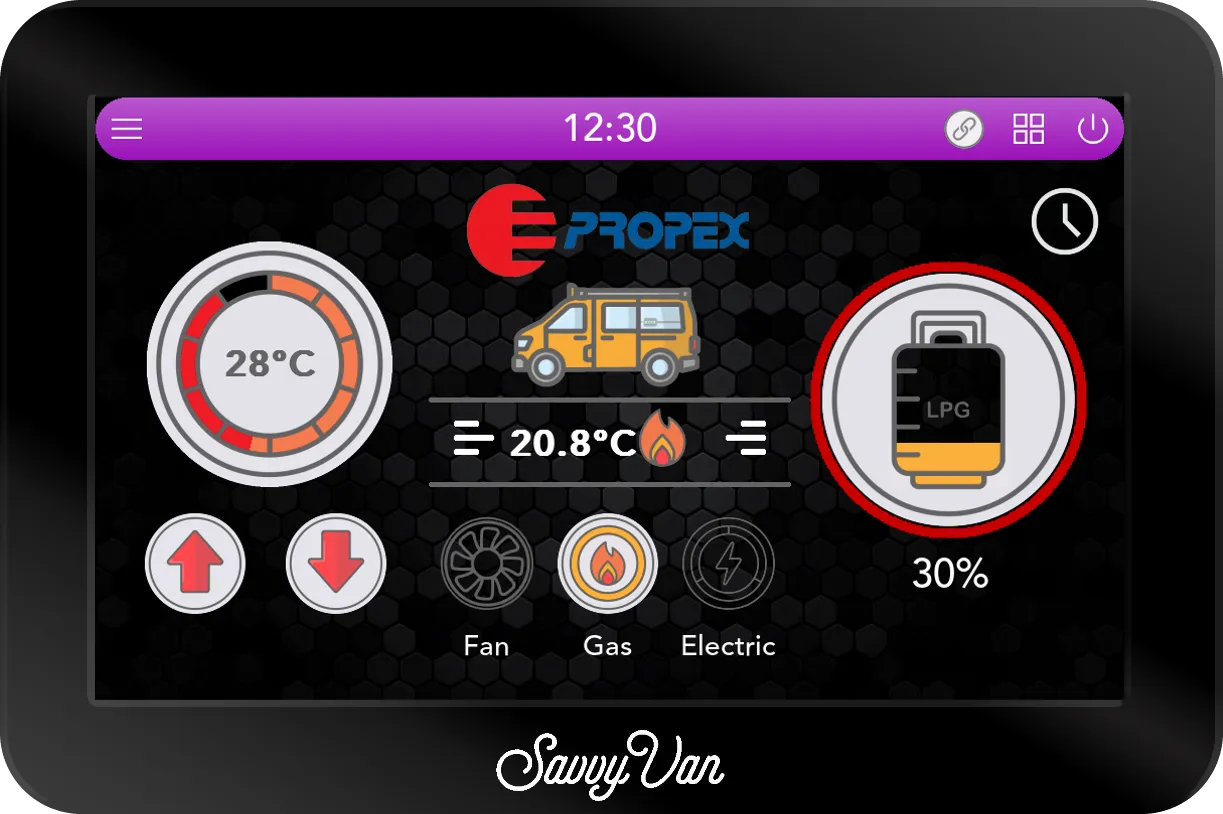
Your heater, on the same screen as everything else
A week's schedule, a timer, a temperature you actually set rather than a dial you guess at - and, when something goes wrong, a fault named in words instead of a flash code counted in the dark.
Which module you need depends on the heater already in your van, so check which one you have first
Two modules, one for each heater
They are not interchangeable. Check which heater is in the van before ordering - and if you are not sure, ask us rather than guessing.
-
If you have a Propex
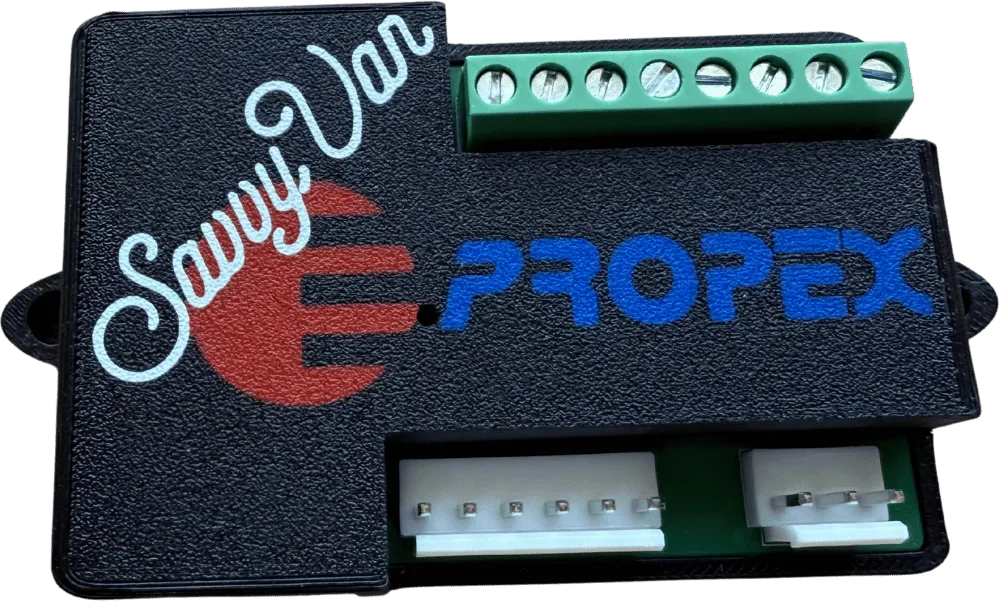
The SavvyPropex add-on
from £125
Replaces the analogue Propex controller
Works across the Propex LPG and dual-fuel range, using the connections already on the heater. Gas-only heaters take one 6-pin cable; gas and electric models add a 3-pin alongside it.
It brings the gas with it. LPG level and solenoid control sit on the same module, so shutting the gas off is a tap on the screen rather than a trip outside.
-
If you have an Autoterm
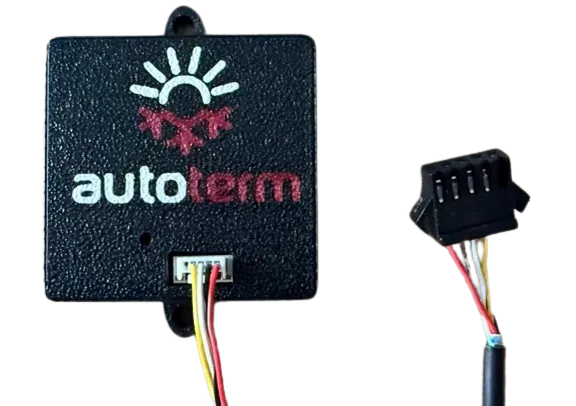
The Autoterm add-on
from £125
Replaces the Autoterm controller
For the Autoterm 2D and 4D. One cable comes out of the existing controller and goes into the add-on, so nothing is cut and nothing new is run.
It adds a mode the original controller has not got. Auto Heat manages the output to reach the temperature you asked for and hold it, easing off as the van warms, rather than running at one fixed setting.
What both of them add
Whichever module you choose, the panel does the same things with it.
-
A week of schedule
Warm for getting up, on the days you choose. Set it once and leave it.
-
A timer
Each scheduled start runs for as long as you choose - from half an hour to 8 hours - and then turns itself off. Or choose Off, and it heats until you turn it off.
-
Faults in words
If the heater reports a problem, the screen names it, with the heater's fault number and what to check, rather than leaving you to count flash code against a manual you cannot find. An Autoterm then stays off until you press Reset.
-
One screen, not three
Heating sits beside your lights, tanks and battery instead of on its own controller somewhere behind a cupboard door.
The heaters we work with
-
Propex
Wireless add-on
The SavvyPropex add-on replaces the analogue Propex controller, across the LPG and dual-fuel heater range. Temperature, schedules, timers and named faults on the panel - plus LPG level and solenoid control in the same place. Developed with Propex Heat Source and Gastore.
-
Autoterm
Wireless add-on
The Autoterm add-on brings a 2D or 4D heater onto the panel, with schedules, timers, readable fault information and an Auto Heat mode that keeps adjusting the output rather than holding one fixed setting.
-
Kartt
Direct, over wireless
From panel software 2.5.1 a Kartt diesel heater pairs with the panel through its own controller, with no add-on from us. Fan and Diesel at levels 1 to 10, Auto Heat, the weekly schedule, and the heater's own faults named on the screen - once a temperature sensor in the van is set to Inside.
Running something else? Tell us what it is - we would rather say honestly that we do not support it than have you find out after it arrives. See also everything else SavvyVan works with.
Not sure which heater you have?
There is usually a model number on the unit itself or on its controller. Send us a photograph of either and we will tell you which module you need - including if the answer is neither.
Questions people ask
- Can SavvyVan3 control my heater on its own?
- Not on its own. A Propex heater needs the SavvyPropex add-on and an Autoterm 2D or 4D needs the Autoterm add-on. A Kartt diesel heater is the exception: its own controller pairs with the panel, so there is nothing to buy from us. Without one of those, the panel can still switch a circuit on and off, but it cannot set a temperature, hold one, or read a fault from the heater.
- Which heating module do I need?
- It depends on the heater already fitted. A Propex LPG or dual-fuel heater takes the SavvyPropex add-on. An Autoterm 2D or 4D takes the Autoterm add-on. They are different modules and are not interchangeable. A Kartt diesel heater needs neither - it pairs with the panel directly.
- Do I have to replace my heater?
- No. Both modules use the connections already on the heater and replace only its control panel. The heater itself stays exactly where it is.