
Integration guide
Fitting SavvyVan3 to a Sargent system
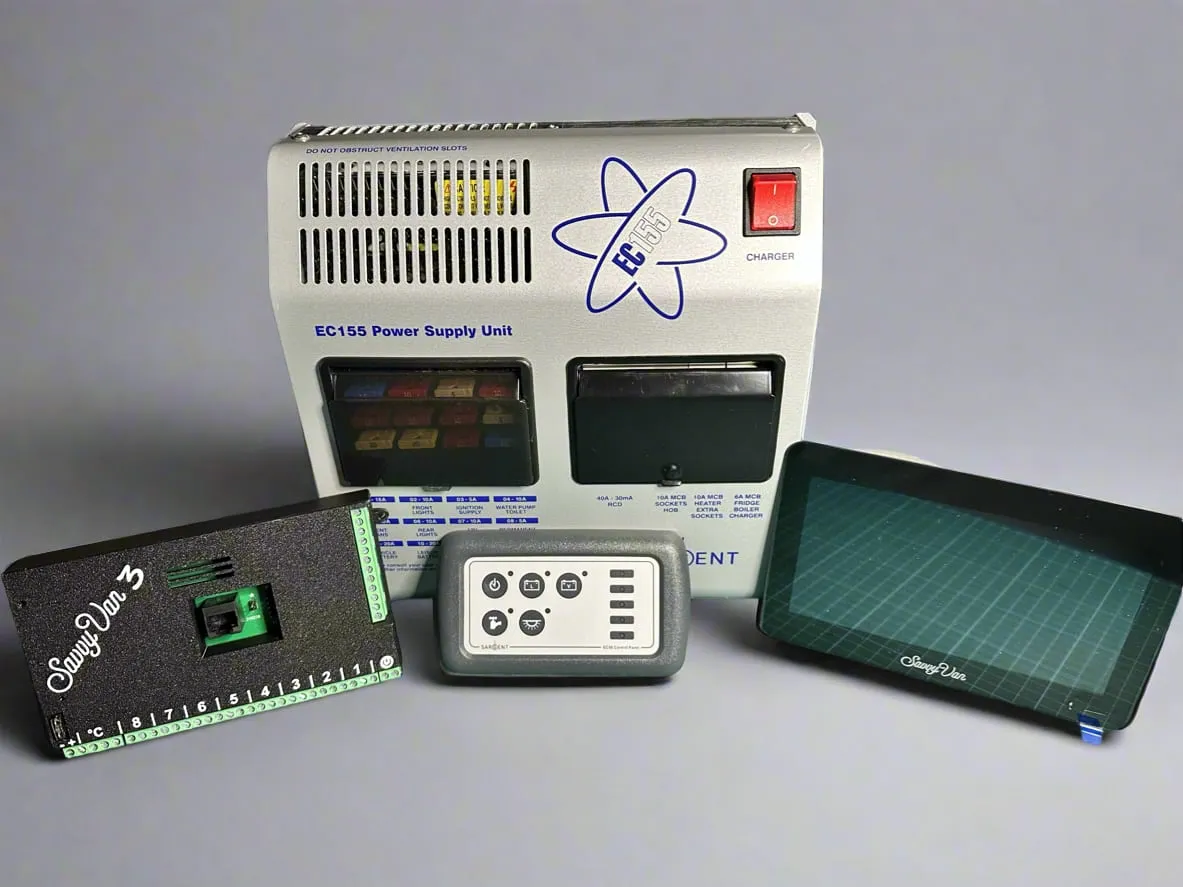
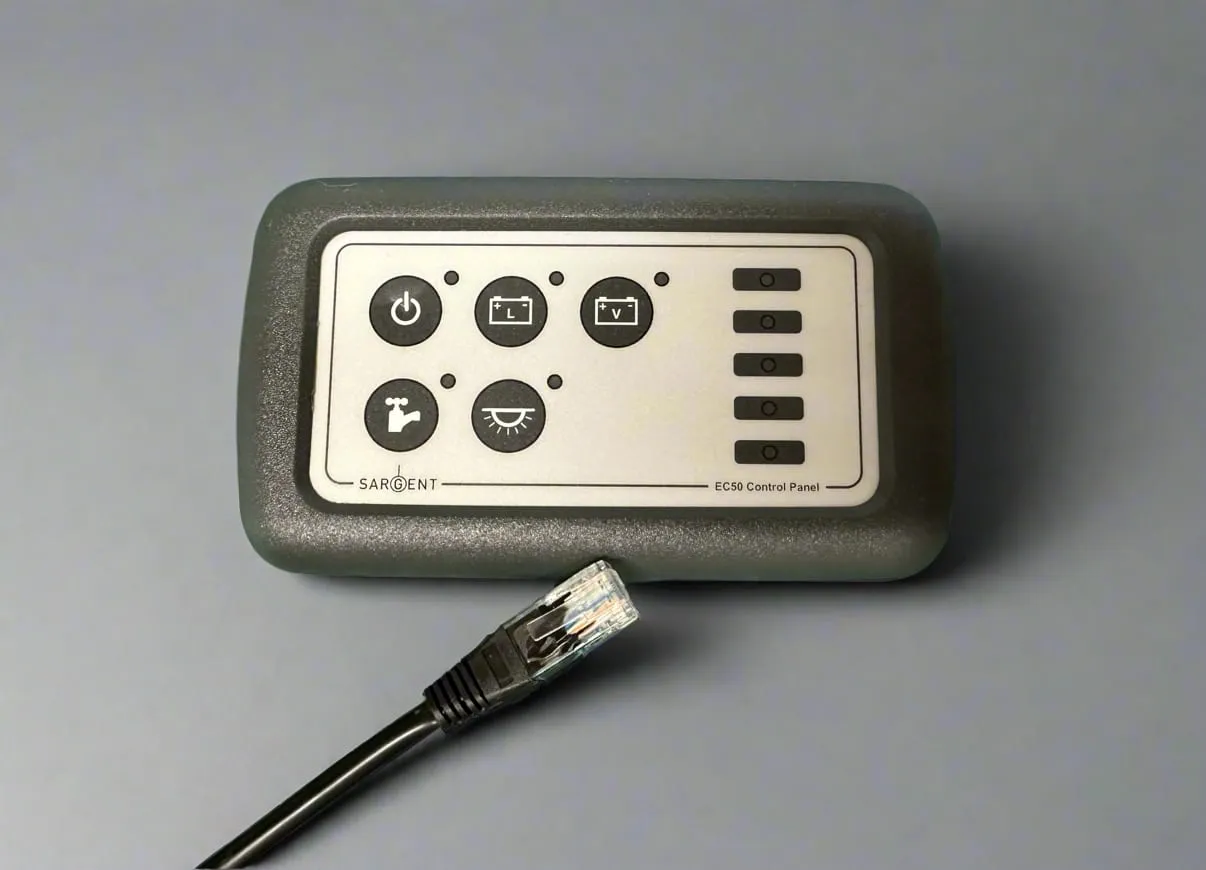
If your van has a Sargent EC50 or EC51 control panel, SavvyVan3 can replace it directly. The interface module plugs into the loom that is already there - no rewiring, and it arrives pre-configured. Your EC155 power supply unit stays exactly where it is; it is only the control panel that changes.
At a glance
- Replaces
- Sargent EC50 / EC51 control panel
- Works with
- Sargent EC155 power supply unit
- Takes over
- 4 switching circuits, basic battery management, fresh water sender
- Wiring
- Plug and play on a standard Sargent loom
- Not supported
- Grey waste indicator
- Arrives
- Pre-configured for Sargent
- Operating temperature
- −20°C to +60°C
Watch it first
The whole swap in 37 seconds, on the bench: the RJ45 comes out of the old panel and goes into the SavvyVan control board. The steps below fill in what a short film leaves out.

Before you start
Check you have ordered the Sargent-compatible SavvyVan3, not the standard one - they are different products. Not sure which you have? Email support@savvyvan.com and we will check.
Wiring it in
The control board is a serviceable part. It must be mounted where it can be reached, disconnected and removed without dismantling fixed furniture, bonded panels or the touch screen - for example in an electrical locker, under a seat, or behind a removable access panel. Use the 2m cables to position it away from the screen where needed. Do not mount it in a sealed or unventilated space, or near heat sources.
- Remove the existing panel. Take out your EC50 or EC51 control panel and unplug the RJ45 from the back of it.
- Mount the SavvyVan control board. Somewhere you can reach and remove it later, as above, and within cable reach of the connectors you have just freed up.
- Connect the RJ45. Plug the RJ45 cable straight into the SavvyVan control board.
- Add a 12V feed. Connect a separate 12V supply to the +/− screw terminals on the control unit. The RJ45 alone cannot supply enough current for the touchscreen.
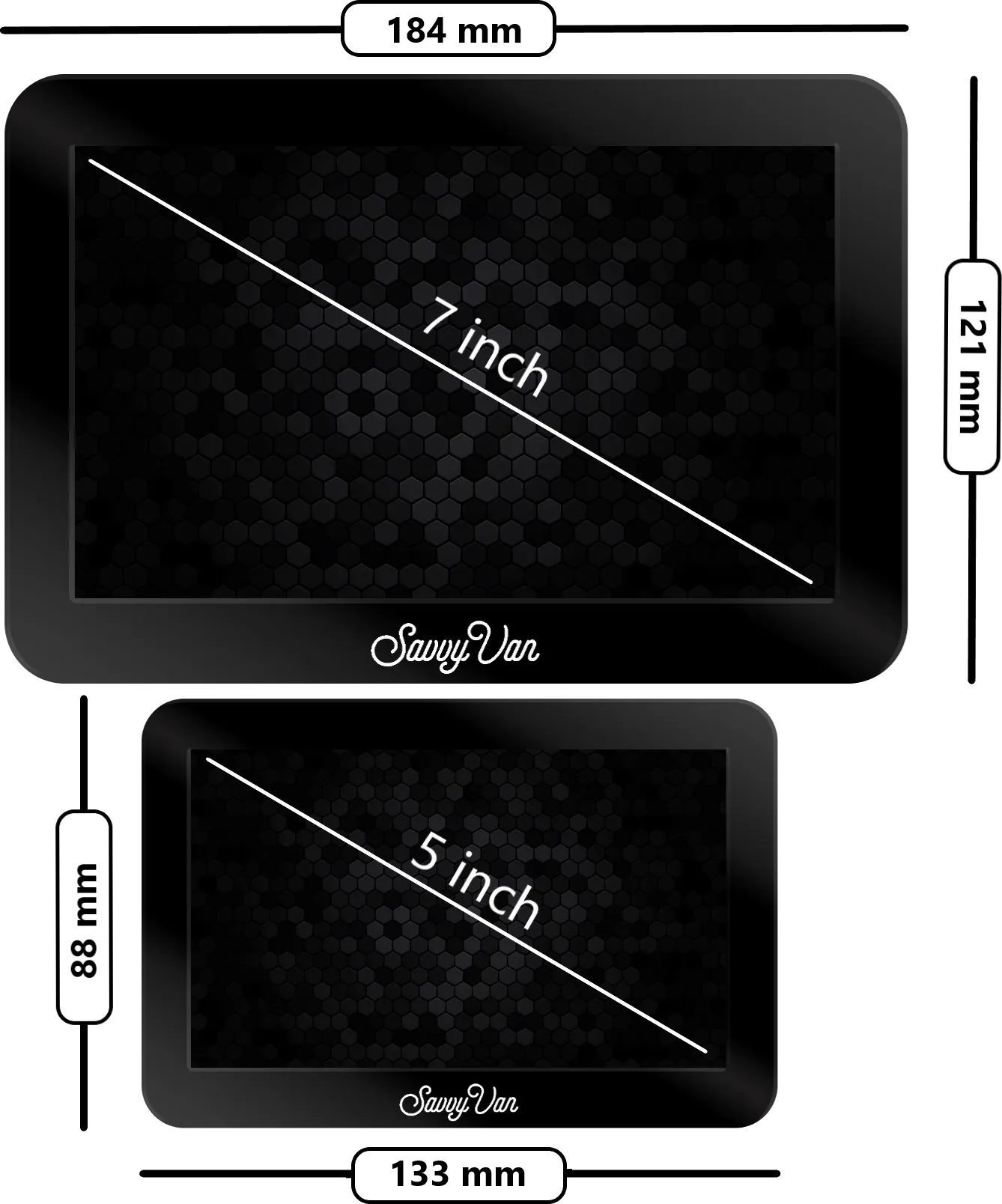
- Mount the screen. Fit the touch screen where you want it - see the dimensions below, as you may need to adjust your existing cut-out.
Mounting the screen
The screen mounts separately from the control board, up to 2m away, so it goes where it looks right rather than where the wiring ended up. Full steps are in the SavvyVan3 installation guide.
You may need to adjust your existing Sargent cut-out to suit - the dimensions are below.
Temperature probe
SavvyVan3 comes with a temperature probe for inside or outside the van. Follow the probe steps in the SavvyVan3 installation guide to fit and set it up.
Setting up the water sender
If you are using an EC51 with the Sargent water sender, here is how to bring the tank level onto the SavvyVan screen.
- Unplug the sender connector from the EC51 and connect it to the 5-way pins on the SavvyVan3 interface board. The black pin goes to the SavvyVan pin marked with a star (*).
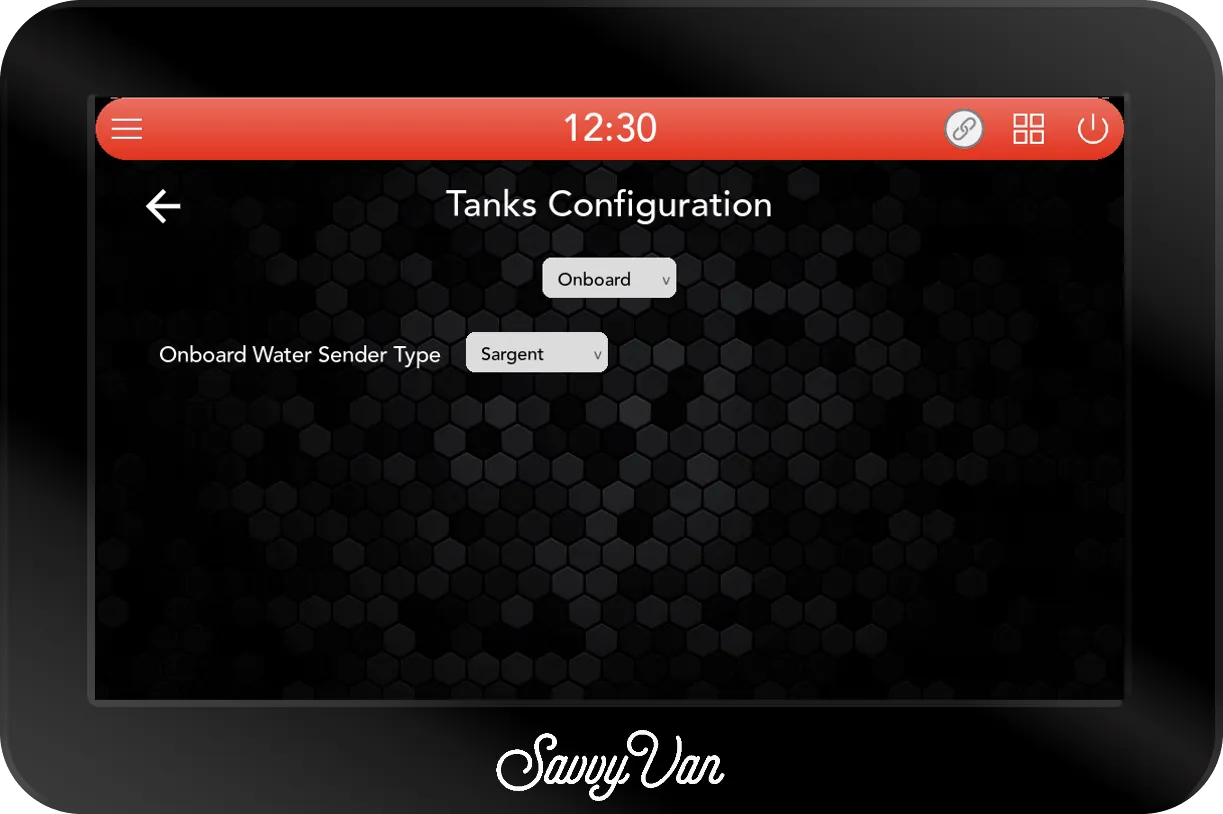
- On the screen, tap the menu top-left, then Installer Settings → Tanks Settings.
- Set the dropdown under the title to Onboard, then Onboard Water Sender Type to Sargent.
- Tap the tile button at the top to return to the main screen. Your water level will now show there.
What else you can add
Tiles 1–4 are now driving your Sargent power unit, but the rest of SavvyVan3 is still available to you - grey and black water monitoring with SavvyTanks, battery shunt, lighting, heating and levelling all add on wirelessly.
Browse the rest of the guides →
Order the Sargent version
The Sargent version is on the shop: it is the Sargent EC155 card under Drop-in versions on the SavvyVan3 page, with a 5 or a 7 inch screen. It drops into the opening your EC50 or EC51 leaves and uses the loom already in the van.
Not sure it fits? Tell us what you have and we will confirm before you order.
Two things to mention in the box: whether your loom has ever been modified, and whether you are buying for a business - trade panels can arrive pre-configured for your loom.
Ask us about the Sargent version
Tell us what is in the van and roughly where you are up to. We read every one of these, and we would much rather answer a question now than have you order the wrong panel.