
Integration guide
Fitting SavvyVan3 to a CBE system
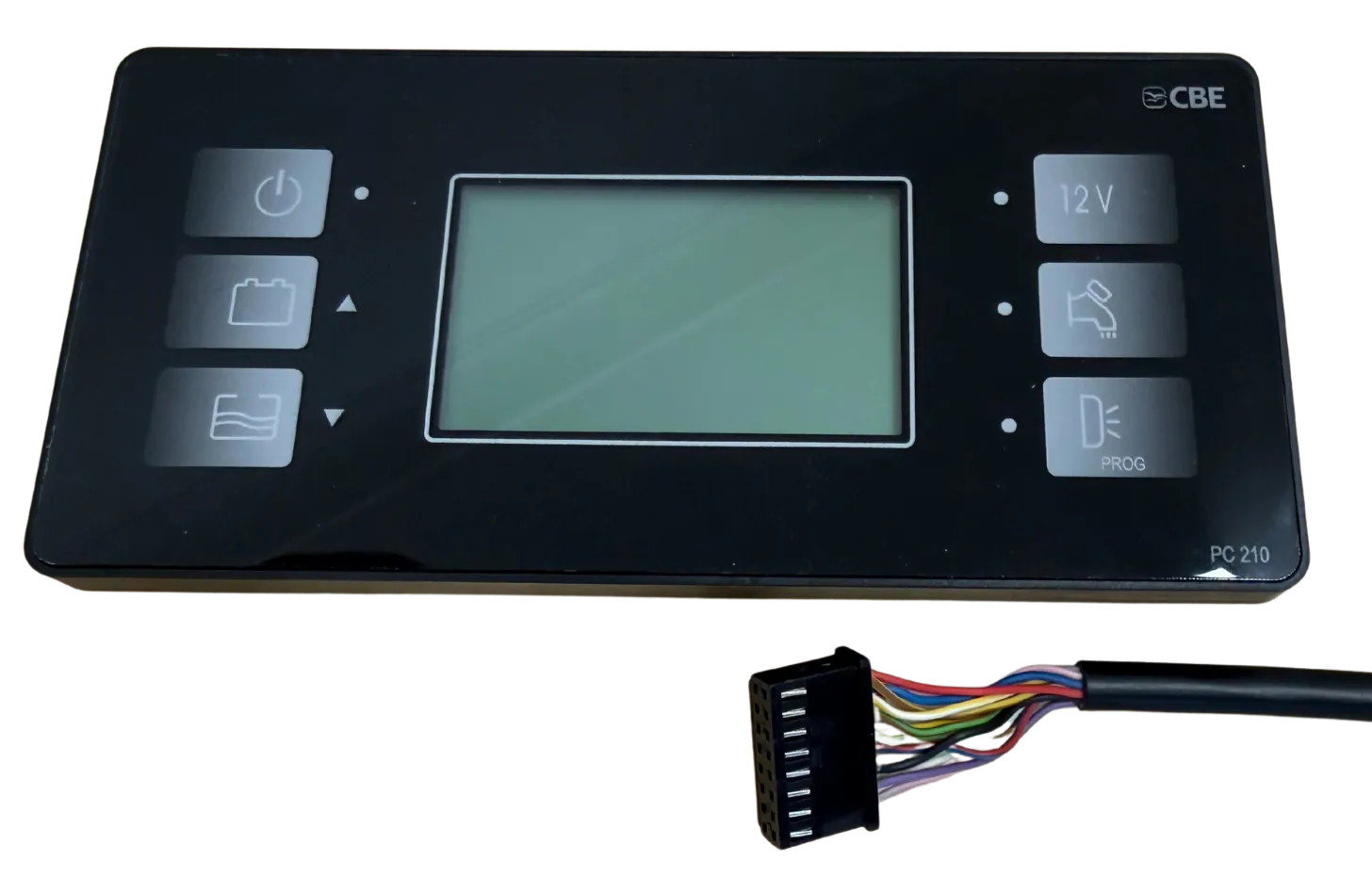
If your van has a CBE PC180 or PC210 control panel, SavvyVan3 can replace it directly. The interface module plugs into the 16-way connector already behind your panel, and arrives pre-configured. Your CBE power unit stays where it is - it is only the control panel that changes.
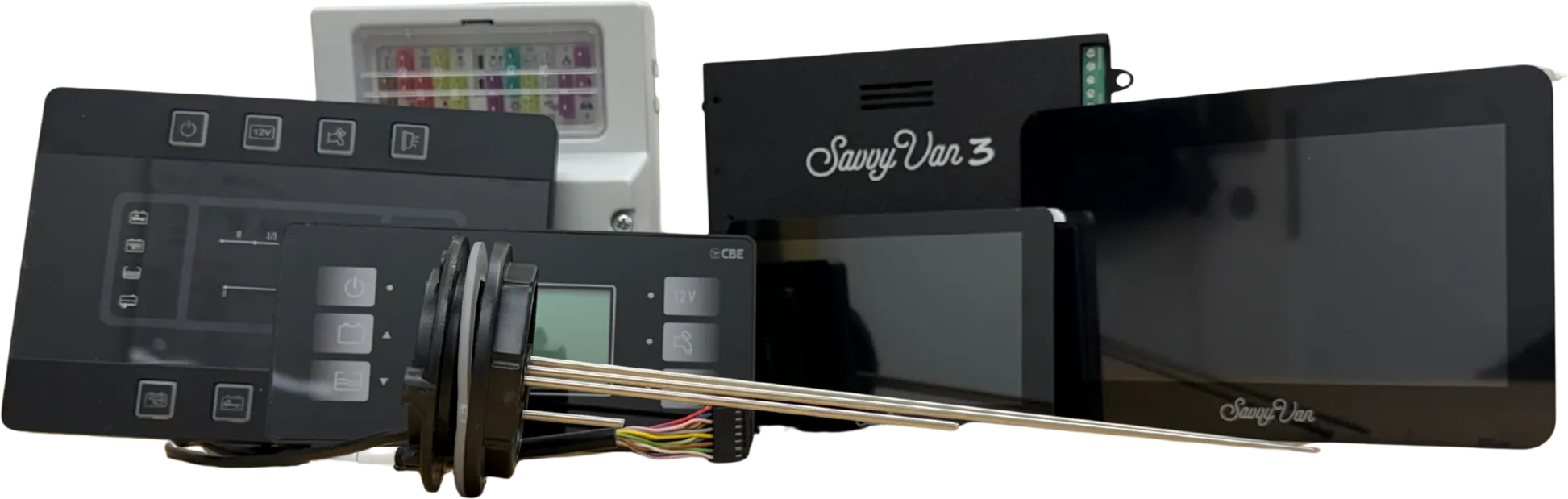
At a glance
- Replaces
- CBE PC180 / PC210 control panel
- Works with
- Your existing CBE power unit
- Takes over
- 3 switching circuits, basic battery management, water sender
- Connector
- 16-way - orientation matters
- Water senders
- CBE_PC100 as standard, CBE_PC200 on request
- Ordering
- On the shop - the CBE PC180 / PC210 plug & play version
- Operating temperature
- −20°C to +60°C
Before you start
Check you have ordered the CBE version of SavvyVan3, not the standard one - different products, different boards. On the shop it is the CBE PC180 / PC210 plug & play version. If you are unsure which you have, ask support@savvyvan.com and we will check.
What it takes over
Replacing the PC180 or PC210 panel hands SavvyVan3 the three switching circuits, basic battery management and the water sender. It all moves onto the touch screen, and the unit arrives pre-configured, so there is nothing to set up before it works.
Wiring it in
The control board is a serviceable part. It must be mounted where it can be reached, disconnected and removed without dismantling fixed furniture, bonded panels or the touch screen - for example in an electrical locker, under a seat, or behind a removable access panel. Use the 2m cables to position it away from the screen where needed. Do not mount it in a sealed or unventilated space, or near heat sources.
- Remove the CBE panel. Take out the PC180 or PC210 control panel and unplug the 16-way connector from the back of it.
- Mount the SavvyVan control board. Somewhere you can reach and remove it later, as above, and within cable reach of the connector you have just freed up.
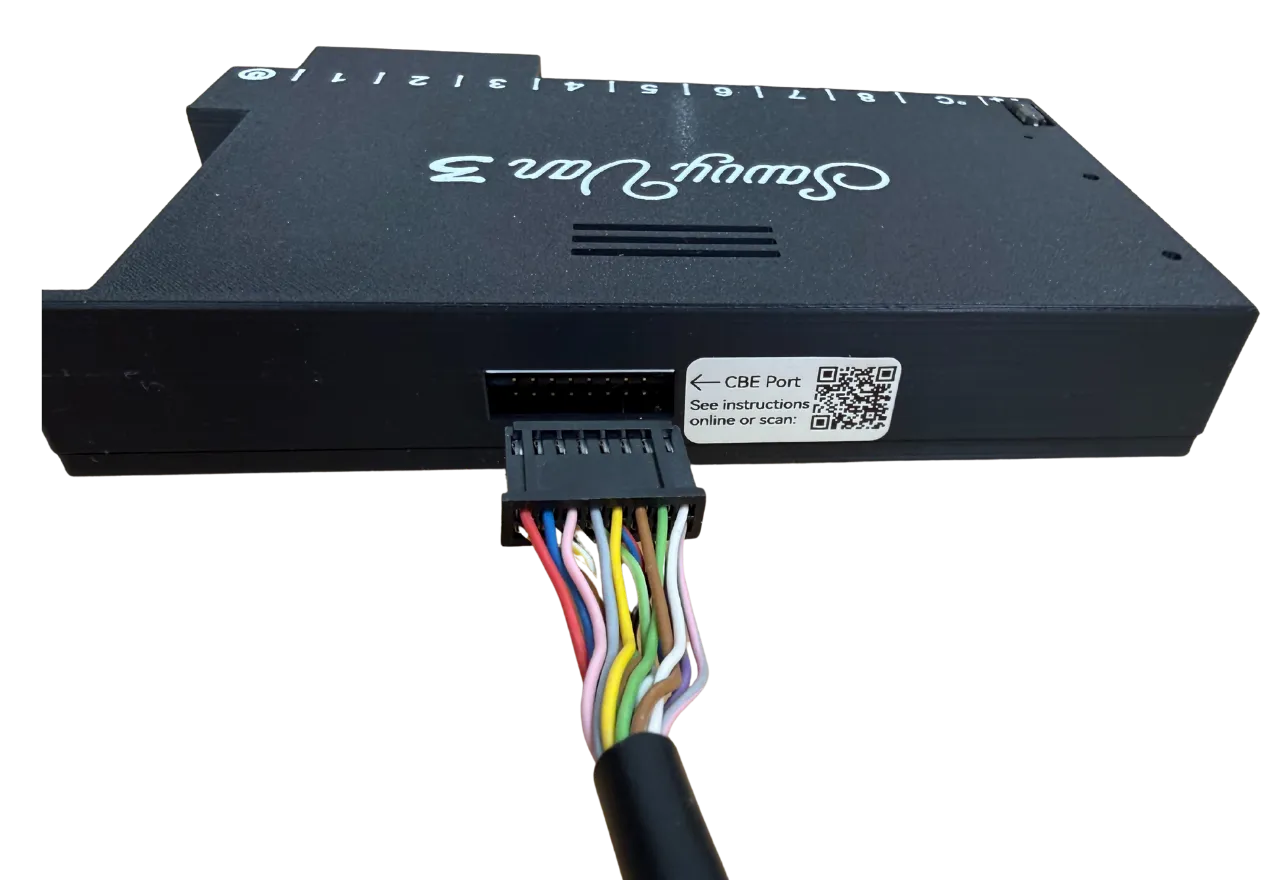
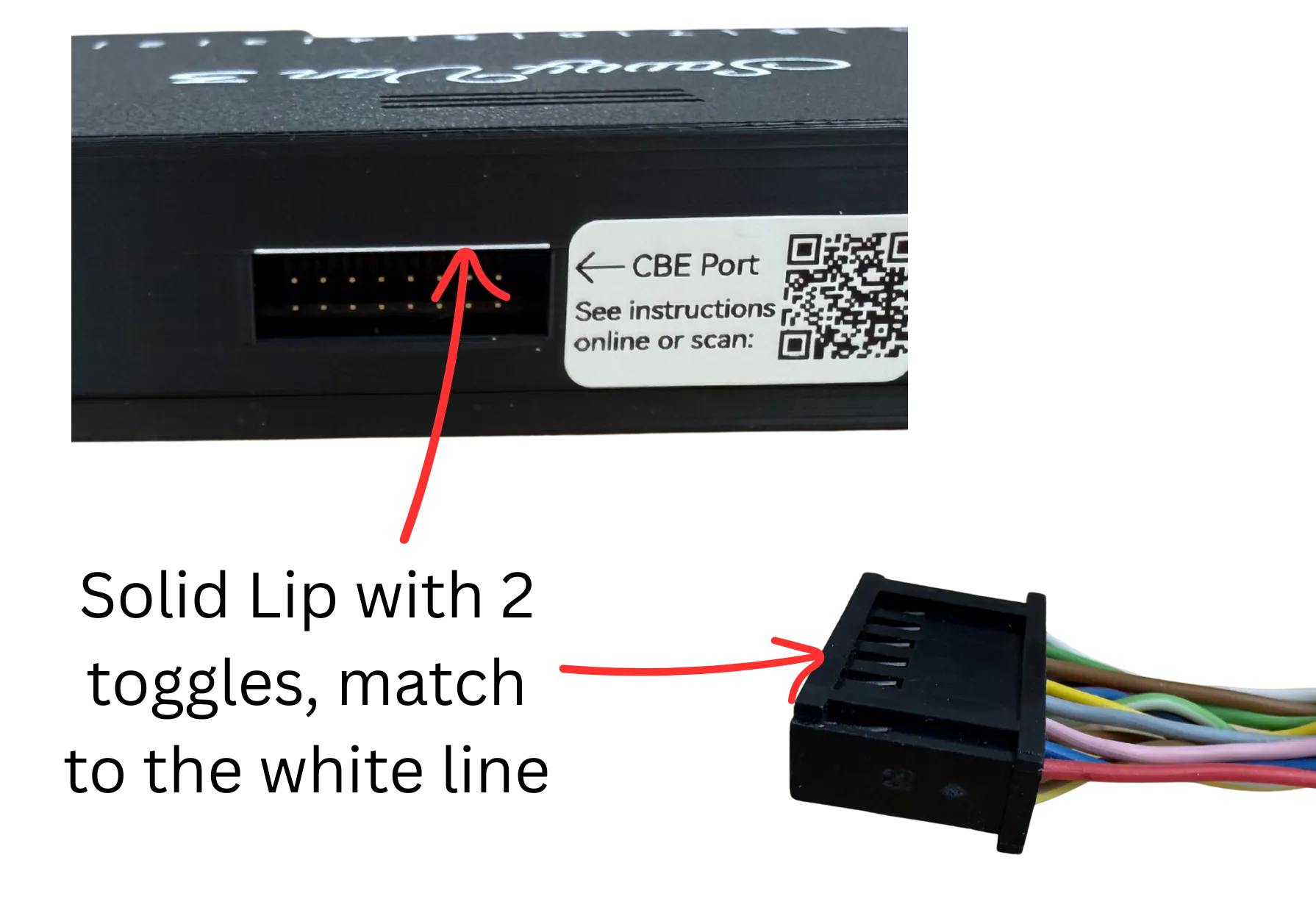
- Connect the 16-way plug - the right way round. It only goes in one way. Match the solid lip with two toggles to the white line on the board, as in the photograph below.
- Mount the screen. Full steps are in the SavvyVan3 installation guide.
Mounting the screen
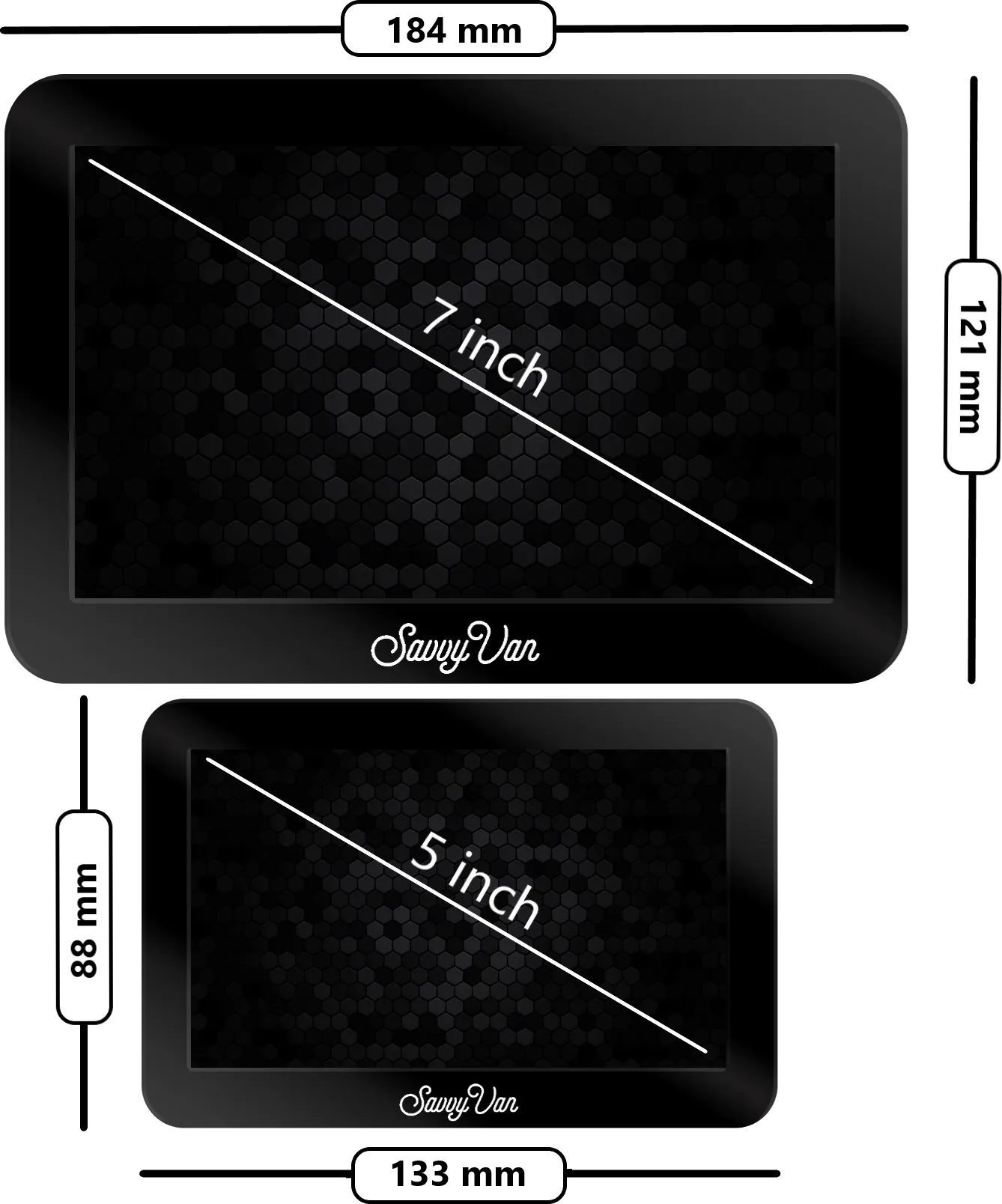
The screen mounts separately from the control board, up to 2m away, so it goes where it looks right rather than where the wiring ended up. You may need to adjust the existing CBE aperture - dimensions below.
Temperature probe
SavvyVan3 comes with its own temperature probe, for inside or outside the van. Follow the probe steps in the SavvyVan3 installation guide to fit and set it up.
Setting up the water sender
Your CBE unit’s own water probe carries on working - SavvyVan3 reads it
directly. You just tell the panel which one you have. CBE_PC100 is the
standard probe, and what the CBE module is built around. If your van has
CBE_PC200 probes, ask us and we will set it up for those.
- On the screen, tap the menu top-left, then Installer Settings → Tanks Settings.
- On the Tanks Configuration page, set the sensor dropdown to Onboard.
- Under Onboard Water Sender Type, choose
CBE_PC100. The list also showsCBE_PC200,SargentandBCA. - Tap the tile button at the top to return to the main screen.
Your water level now shows on the main screen.
CBE-version panels arrive pre-configured, so this is usually set already.
What else you can add
Tiles 1–3 are driving your CBE power unit, but the rest of SavvyVan3 is still yours - grey and black water monitoring with SavvyTanks, a battery shunt or a battery we read directly, lighting, heating and levelling all add on wirelessly.
Browse the rest of the guides →
Order the CBE version
The CBE version is on the shop: it is the CBE PC180 / PC210 card under Drop-in versions on the SavvyVan3 page, with a 5 or a 7 inch screen. It comes set up for the standard CBE_PC100 water sender.
Not sure it suits your van, or have CBE_PC200 probes? Tell us which panel is in the van - a PC180 or a PC210 - and we will confirm what you need before you order.
If you are buying for a business, say so: trade pricing is different and the panels can arrive already configured for the loom you use.
Ask us about the CBE version
Tell us what is in the van and roughly where you are up to. We read every one of these, and we would much rather answer a question now than have you order the wrong panel.